Free-EA List
Rebatearn is a globally‑recognized rebate service provider offering clients the value‑added service of free EAs. Our EAs are primarily sourced from MQL5. There are no usage restrictions for these EAs. However, we make no guarantees regarding EA performance and do not provide guidance on EA operation. Clients are required to conduct tests on a demo account first. The first EA download each day costs only USD 0.01. Subsequent downloads are subject to normal price.
MoonDog EA
The following introduction is excerpted from the original website:https://www.mql5.com/en/market/product/183924 Current Version 3.38
Only 25 copies remain available for sale.
MoonDog EA V4 — XAUUSD Breakout System
START HERE — User Guide and Recommended SET Files
OPEN THE GUIDE AND DOWNLOAD THE SET FILES
Please read the guide before starting. It explains the installation, settings, presets, dashboard and risk options.
Use the SET files intended for your installed MoonDog version. Check this page after every update, and review your lot size, risk settings and Magic Number before trading.
If you are unsure which preset to use, contact me and I will help you choose a starting configuration.
About MoonDog
MoonDog EA is a multi-strategy Expert Advisor developed specifically for XAUUSD on MetaTrader 5.
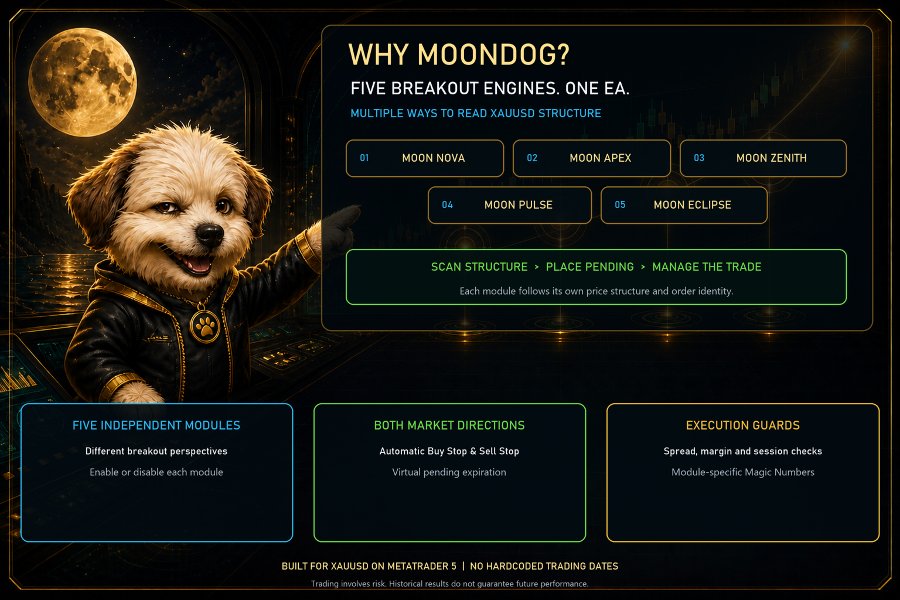
It combines five breakout modules: Moon Nova, Moon Apex, Moon Zenith, Moon Pulse and Moon Eclipse. Each module follows its own entry conditions, and all five run from a single chart.
V4 includes optional 2x ONNX entry filtering, flexible lot sizing, MoonLock profit protection and an integrated dashboard with manual trading controls.
MoonDog does not use martingale, recovery grids or averaging down to recover losses.
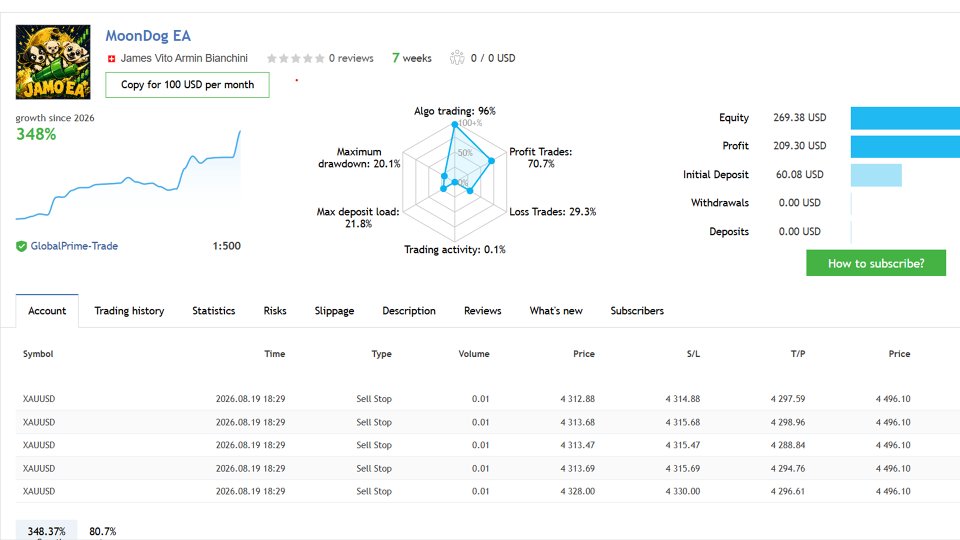
Official Live Signal
VIEW REAL MOONDOG TRADING ACTIVITY
The signal is shared for transparency. Its history may include earlier versions and different settings. Results on your account can differ because of spreads, commissions, slippage and broker execution.
Broker Information
READ THE BROKER AND EXECUTION GUIDE
Execution quality matters for breakout trading. A broker that works well for another strategy may not provide the same results with MoonDog.
Please Contact Me After Purchase
Please send me a message after purchasing MoonDog. I will help you check the installation, current SET file, broker conditions and lot size.
Start small. Take the time to understand how the EA behaves on your account before increasing your risk.
How MoonDog Trades
The five modules monitor different breakout and price-expansion conditions. When an eligible setup appears, MoonDog can place a Buy Stop or Sell Stop pending order on the broker’s server.
Each order is prepared with its own Stop Loss and Take Profit. Once a position opens, the EA manages it according to the selected protection settings.
You do not need five charts to run the five modules.
The modules have separate entry rules, but they all trade gold. Several positions can therefore be active during the same market move, and their risks can overlap.
Choose Your Trading Mode
MoonDog without ONNX
Runs the five-module breakout system without machine-learning entry filtering.
MoonDog with 2x ONNX
Uses two embedded models to evaluate eligible setups and filter entries.
The models run locally inside MetaTrader 5. No external signal subscription is required. The EA does not automatically retrain itself while trading.
ONNX filtering does not guarantee winning trades or better results in every market period.
Lot Size and Risk Options
MoonDog supports:
Fixed lot: trade with the lot size you select.
Percentage risk: calculate the lot from account balance, your selected risk percentage and the initial Stop Loss.
Adaptive sizing: with 2x ONNX and percentage risk enabled, selected higher-scored setups can use 1.5× the base risk.
Automatic fixed-lot growth: increase the fixed lot in configured steps as the account grows.
Maximum lot cap: limit the lot calculated by percentage-risk sizing.
Adaptive sizing does not apply to fixed-lot mode. Automatic fixed-lot growth is a separate feature and does not replace percentage-risk sizing.
For example, adaptive sizing with a base risk of 1% can use approximately 1.5% on selected trades, subject to broker volume steps, the lot cap and other checks.
Risk applies to each trade, not to the whole account. Several open positions can create total exposure above the percentage selected for one position.
No Martingale or Loss Recovery
MoonDog does not increase lot size because a previous trade lost.
It does not use recovery grids, average down into losing positions or add volume to an existing position through MoonLock or trailing protection.
Lot sizes may change because of account balance, your selected sizing method or the adaptive model score—not to recover previous losses.
Stop Loss, Take Profit and MoonLock
The initial Stop Loss is adjustable. The default is 20 gold pips, and you can choose a different distance for new orders.
Take Profit targets are also configurable.
MoonLock tracks a position’s peak profit after its activation threshold is reached. The default setting aims to protect 50% of that peak.
For example, if an eligible position reaches a peak profit of $10, MoonLock aims to protect approximately $5 when the market pulls back. This is a protection target, not a guaranteed final payout.
The default mode combines a physical safety Stop Loss with virtual profit protection. Virtual protection can trigger a close request without waiting for a broker Stop Loss modification to be rejected.
MoonLock requests closure of the full position it is managing. It does not use partial profit-taking.
Virtual protection requires MT5, the EA and automated trading to remain running with a working connection. Slippage, gaps and rejected requests can still affect the closing price.
News and Trading-Time Protection
MoonDog includes separate protection for NFP, CPI and FOMC, with adjustable windows before and after each event.
The default windows are:
NFP: 30 minutes before and 60 minutes after.
CPI: 30 minutes before and 60 minutes after.
FOMC: 60 minutes before and 150 minutes after.
A separate general economic-news filter is also available.
You can configure daily entry hours and choose automatic or custom weekend-pause times. Weekend protection pauses new entries and requests removal of pending orders; it does not automatically close every open position.
News protection depends on calendar availability, event recognition and successful order cancellation.
Optional Spread and Account Protection
The optional wide-spread guard can pause entries and request cancellation of MoonDog pending orders when spread exceeds your selected threshold.
It is OFF by default. It cannot eliminate slippage or guarantee that a pending order will be cancelled before execution.
MoonDog also includes optional daily loss protection for normal accounts and configurable prop-firm limits. These features must be enabled and configured for your account.
Prop-firm settings do not guarantee compliance with every firm’s rules.
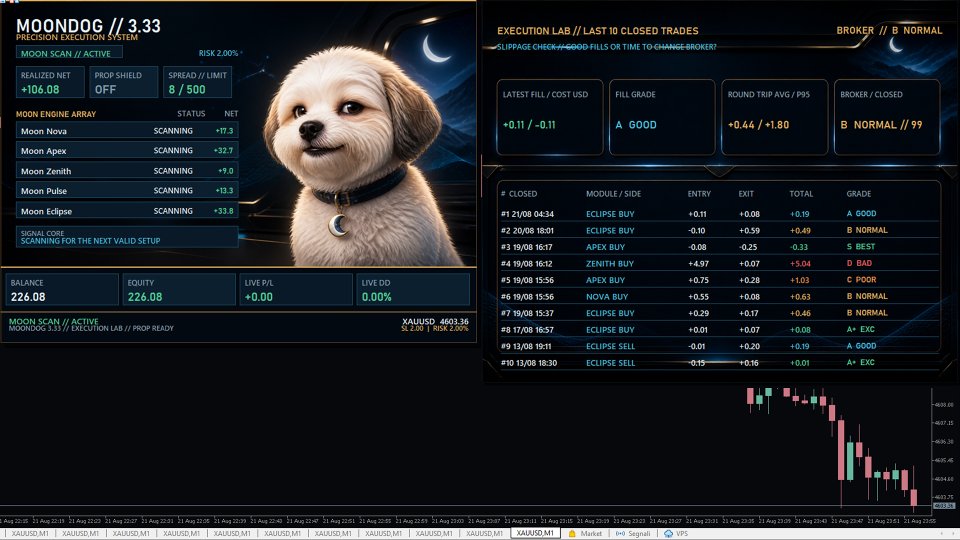
Dashboard and Manual Controls
The dashboard shows the trading mode, module status, entry restrictions and account information.
An expandable slippage panel helps you review recorded entry and exit execution quality.
Three integrated buttons provide manual control:
Cancel + pause: request cancellation of MoonDog pending orders and pause new entries.
Resume entries: release the manual pause once pending cleanup is complete. Other protection rules still apply.
Close trades: request closure of recognized MoonDog positions on the current symbol, including both winning and losing positions.
Cancellation and closure require confirmation.
Close trades does not automatically cancel pending orders or pause new entries.
Magic Numbers and order comments are customizable. Changing a comment does not hide trading activity from the broker.
Default Configuration
V4 starts with:
2x ONNX enabled.
All five modules enabled.
Fixed lot size: 0.01.
Initial Stop Loss: 20 gold pips.
MoonLock: enabled at 50%.
Dedicated NFP, CPI and FOMC protection: enabled.
Weekend protection: enabled.
Adaptive sizing, automatic lot growth, the general news filter, optional wide-spread protection, normal-account daily loss limits and prop-firm mode are disabled by default.
Six presets are supplied: Default, Fixed, Low Risk, Adaptive, No ONNX and High Risk. Preset names do not guarantee safety or performance.
Installation and First Steps
Install MoonDog through the MetaTrader 5 Market, read the guide and load a suitable SET file.
Test your configuration on demo first. If you move to a live account, use the smallest suitable lot for at least the first week while checking the dashboard and execution quality.
One week is an initial check, not proof of long-term suitability. Even 0.01 lot can represent significant risk on a small account.
Use Cancel + pause when you want to stop new entries without switching off automated trading and disabling virtual protection.
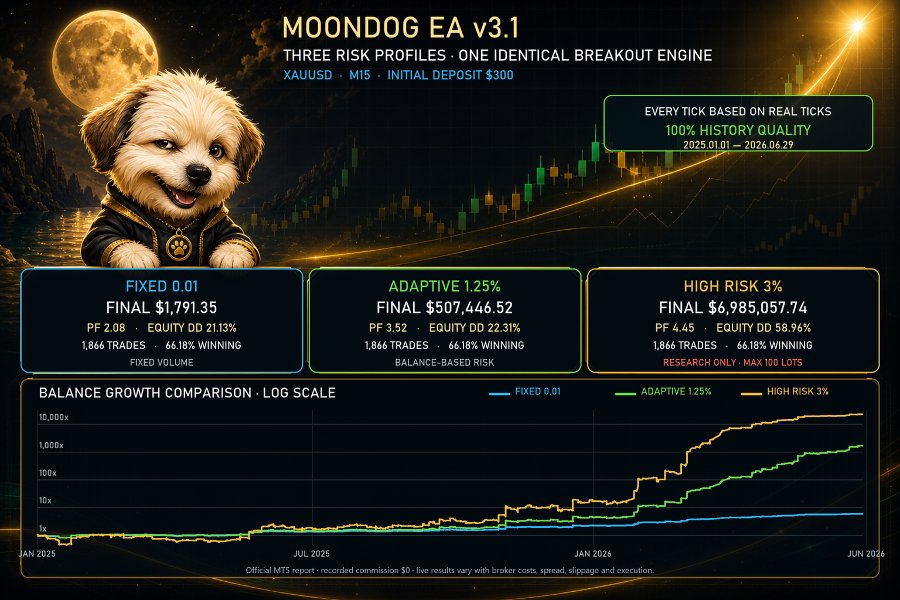
Backtesting
MoonDog supports the MetaTrader 5 Strategy Tester.
Use Every tick based on real ticks when suitable data is available, together with realistic costs and account specifications.
The public V4 build bypasses its live economic-calendar filters in the ordinary Strategy Tester. A standard backtest therefore does not reproduce live news-filter behaviour.
Backtests cannot guarantee real-world fills, cancellation speed or slippage. Historical performance is not a guarantee of future results.
Risk Notice
Trading XAUUSD and CFDs involves financial risk. Losing trades and drawdown periods are part of trading.
The absence of martingale does not eliminate risk. Stop Losses, MoonLock and daily loss controls cannot guarantee a maximum loss during gaps or execution problems.
Choose a position size that allows you to tolerate a difficult period without financial pressure. No Expert Advisor or machine-learning model can guarantee future profitability.